For teachers, school offices and families
Everything your school runs on, in one place.
Records, attendance, grades, report cards, lessons and messages home, kept together in something that’s quick to use and pleasant to look at. Teachers can even talk through their class and watch the report cards fill in.
 1
2
3
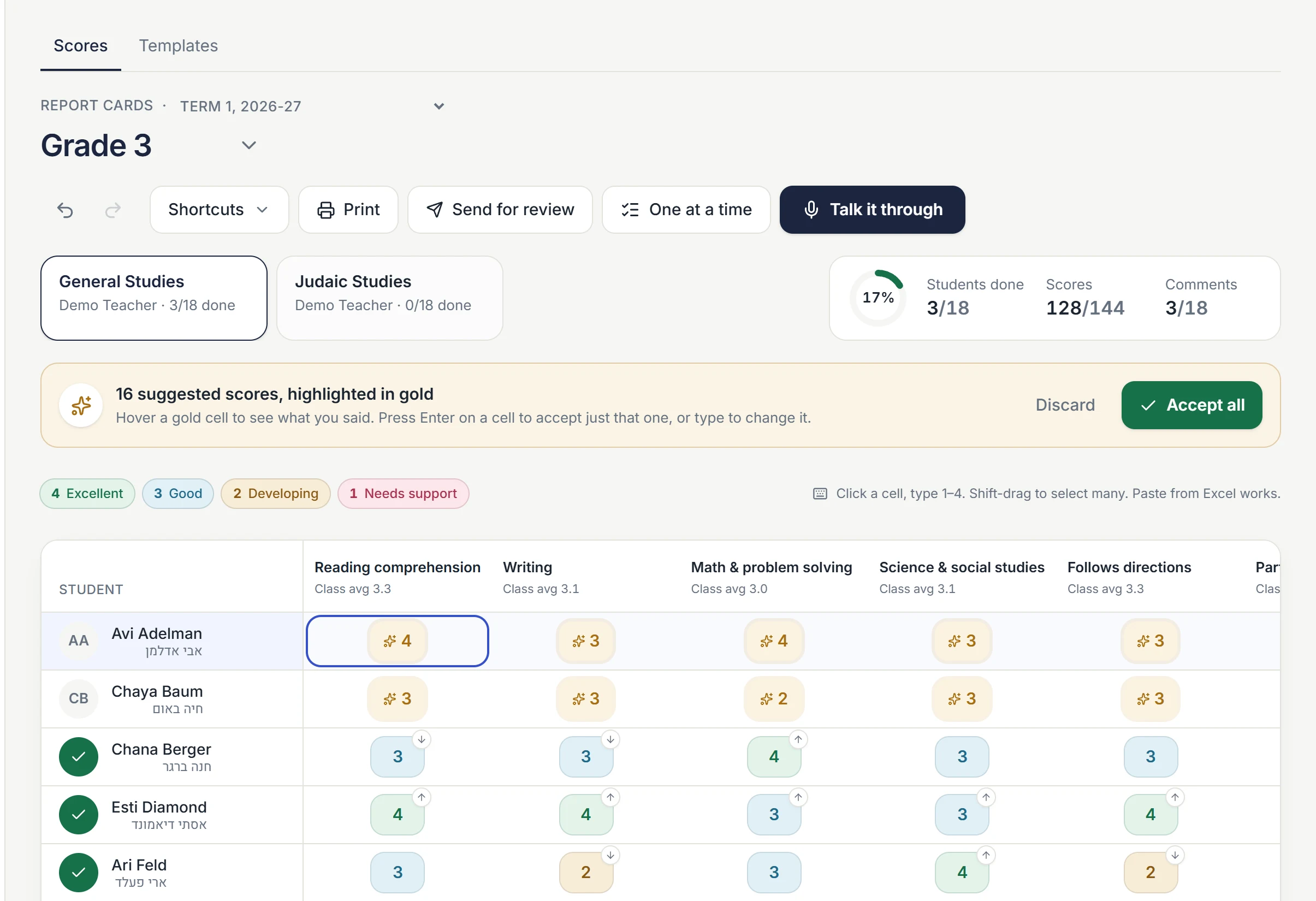
- Avi’s scores, straight from the teacher’s words: “reading 4, writing 3, math 4.” Gold means they’re waiting for her OK.
- Every student and every skill on one screen. Nobody clicks into one child at a time.
- How far along the class is, without having to ask.
IThe problem
Report cards shouldn’t take a weekend.
Most school systems ask teachers to open one student, scroll sideways through a row of small boxes, save, and start again with the next. Then write a comment for every child, from memory, at the end of term.
Scholius puts the whole class on one screen, lets teachers say what they would otherwise type, and drafts comments from the notes they jotted along the way. The teacher still decides every word.
IIHow it works
Say it. Check it. Send it.
iSay it
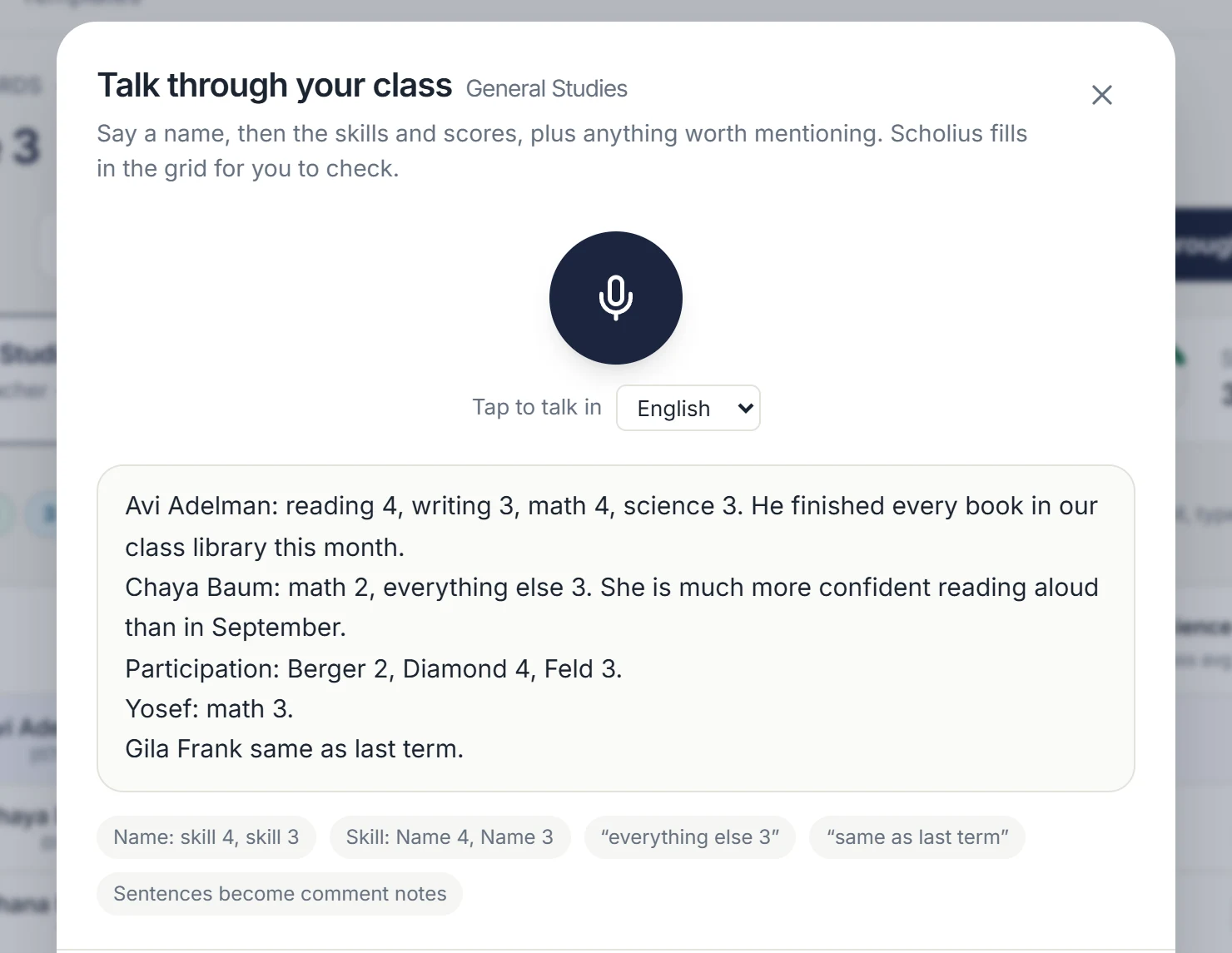
Tap the microphone and talk the way you would to a colleague: “Chaya, math 2, everything else 3. She’s much more confident reading aloud.”
iiCheck it
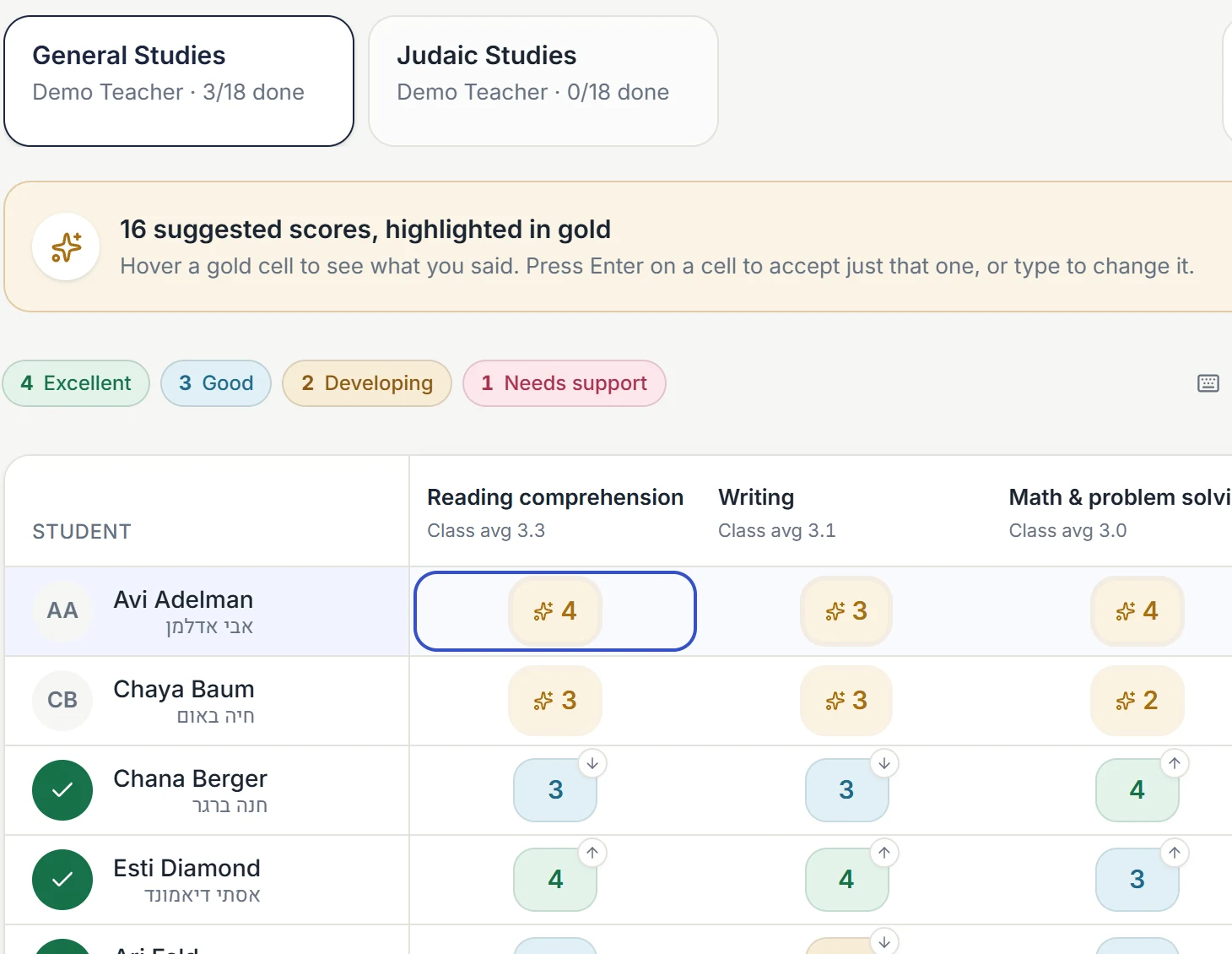
Scores land in the right boxes, marked in gold. If a name could mean two students, Scholius asks which one. It never guesses.
iiiSend it
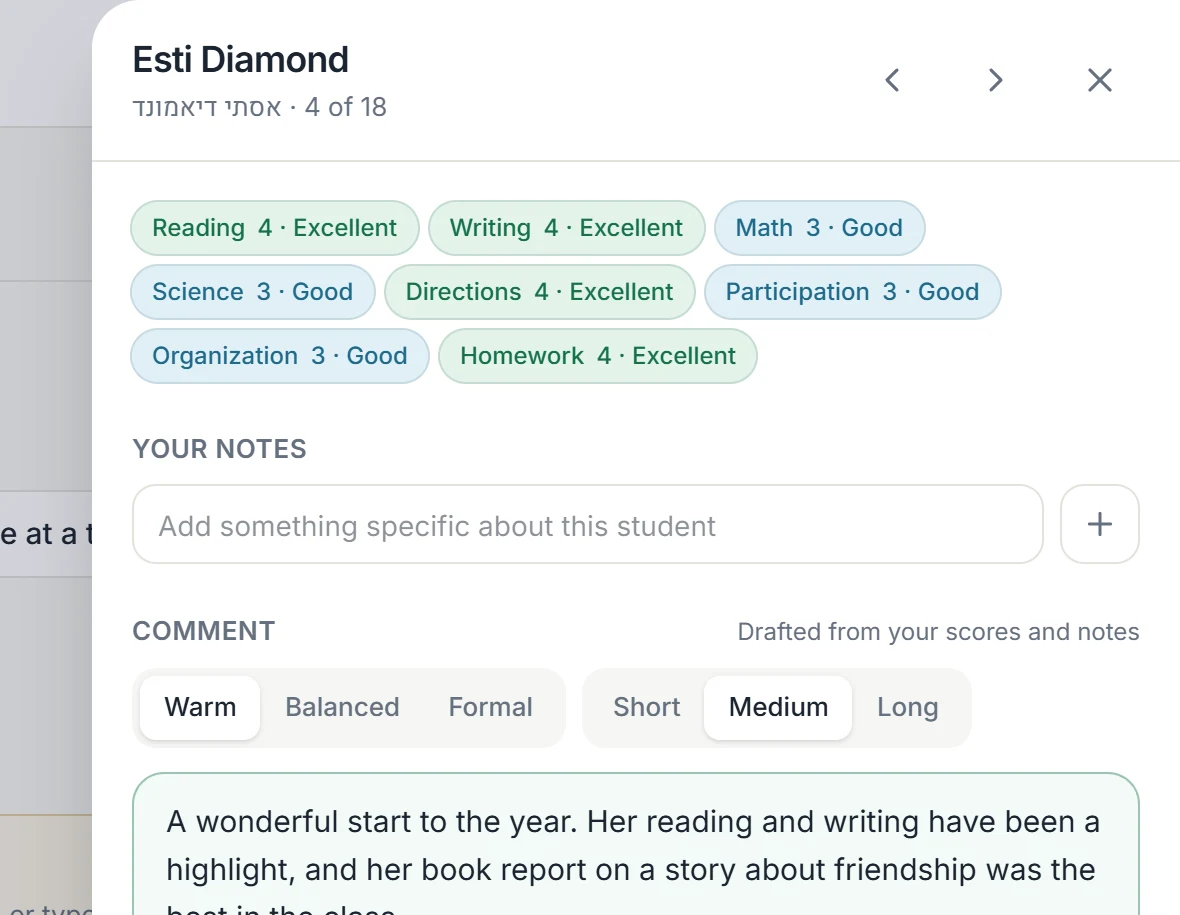
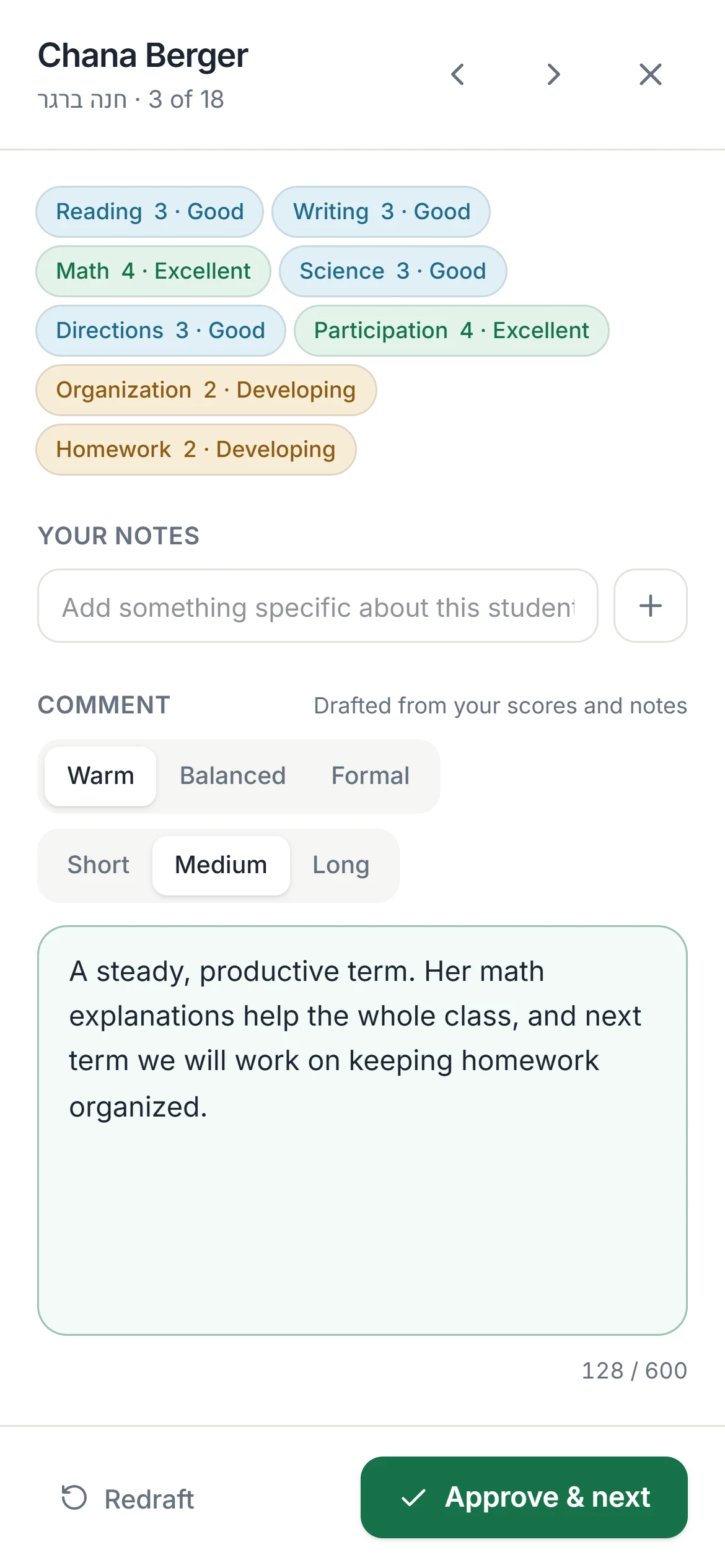
A comment is drafted from that student’s scores and your notes, in the tone you choose. Approve it and the next student opens.
IIIWhat’s inside
Contents
- 01
Report cards and gradebook
Rubrics, grades, comments, and a template that looks like your own report card.
- 02
Attendance
Everyone present in one tap, then mark who isn’t. Parents can report an absence ahead of time.
- 03
Students and families
One record per child and per family, with households, siblings and documents.
- 04
Messages home
Email, text and app. Each family picks instant, a daily digest, or urgent only.
- 05
Lessons and curriculum
Plan the week and connect each lesson to what ends up on the report card.
- 06
Admissions
Applications families can finish on a phone, and a clear list for the office.
- 07
Tuition
Family statements, payment plans, sibling discounts and polite reminders.
- 08
Calendar
School days, holidays and early dismissals, with dual dates where you need them.
- 09
Moving in
Bring your students, families and grades over from your current system or a spreadsheet.
IVLanguages
Written for the families you actually have.
Scholius works in eight languages, among them English, Hebrew, Yiddish, Spanish and Arabic. Everyone picks their own language, right-to-left layouts are built in, and a report card can print in one language, or in English and Hebrew side by side.
VOn the go
It fits in a pocket.
Take attendance at the door, jot a note after recess, approve comments on the way home. Scholius installs from the browser like an app and keeps working when the Wi-Fi doesn’t.
VIOur promises
What we promise schools
- Student information is used to run your school, and for nothing else.
- It is never used to train AI, ours or anyone else’s.
- A teacher approves every grade and comment before a family sees it.
- Voice recordings are deleted once the teacher has approved what they said.
- Each school’s data is kept apart from every other school’s.
- If you ever leave, all of your data leaves with you.
The Scholius team
See Scholius with your own class list.
Send us a blank report card and a class list, and we’ll show you your school running on Scholius.
hello@scholius.com